Every removal-defense practice runs the same ritual: someone opens EOIR's case information portal, types an A-number, picks a nationality, writes down the next hearing, and moves to the next client. It works for one case. For a docket of fifty, it becomes a weekly chore that catches most changes — and misses the one that matters most.
The change a weekly check misses
Immigration courts reschedule constantly. Dockets get reorganized, judges are reassigned, and hearings move in both directions. A hearing pushed later is an inconvenience. A hearing pulled earlier is how a client ends up with a removal order issued in absentia: the written notice lags the docket change or goes to an old address, nobody rechecks the case until the next review, and the new date passes before anyone notices.
The manual tools aren't built for this. The Automated Case Information portal and the 1-800-898-7180 hotline answer for one A-number at a time, only when someone remembers to ask. (If you need the manual route, our step-by-step guide to checking an EOIR case status covers it, including what “No information found” means.)
What Court Watch does instead
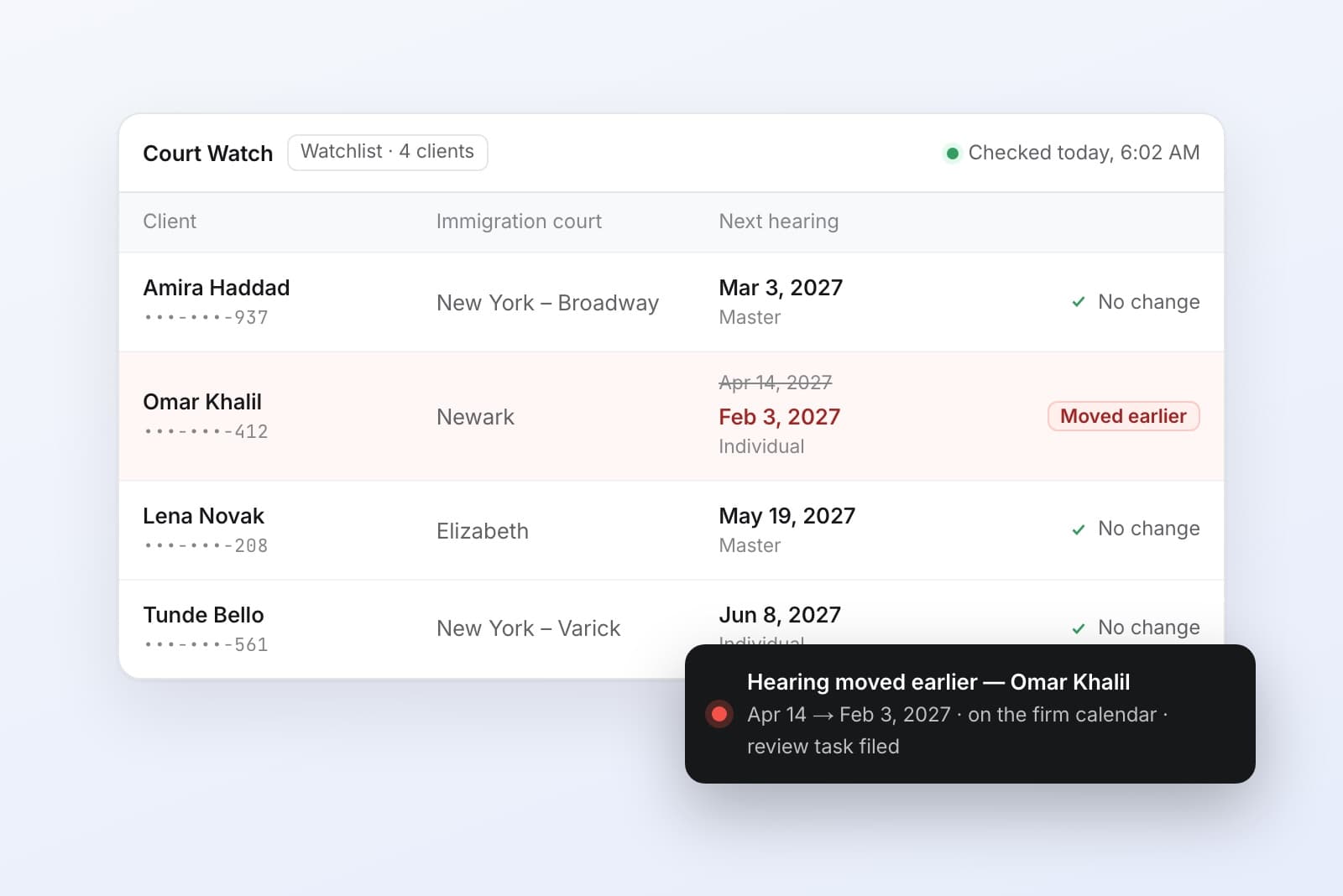
Court Watch is Lexfill's EOIR case tracker. Instead of a paralegal looking cases up, it checks every client on your firm's watchlist against the court's own case information every day, by A-number.
- Two fields to start.Open the client's Government tab, confirm the A-number and nationality, and press Watch. From then on every daily scan covers them.
- Alerts the day something moves. When a hearing is scheduled, moved, or advanced, your team sees the old and the new date the same day the change appears — an earlier date raises its alert immediately rather than waiting for a digest.
- Your calendar stays current. Tracked hearings land on the firm calendar, including the feed your attorneys subscribe to in Google Calendar, Outlook, or Apple Calendar.
- The follow-up is already filed.When a hearing moves earlier, Lexfill opens a task to review the client's payment plan, because a compressed timeline usually means the fee schedule needs one too.
What it doesn't do
Court Watch reports what the court's schedule says and keeps your calendar and tasks in step with it. What to do about a moved hearing — a motion, a continuance, a conversation with the client — stays with the attorney. Lexfill is not a law firm and doesn't give legal advice.
Where it fits in the rest of the case
Hearings sit next to USCIS receipt tracking on the same Government tab, so a client's whole government record lives in one place. The cases behind those hearings — asylum applications, work permits, habeas petitions, mandamus complaints — are prepared in Lexfill too, with Lex filling the forms and flagging contradictions before anything reaches the court.
Frequently asked questions
What is an EOIR case tracker?
Software that monitors immigration court (EOIR) cases automatically. Lexfill's Court Watch checks every watched client against the court's case information daily by A-number and alerts the firm when a hearing is scheduled, moved, or advanced to an earlier date.
How do I check an EOIR case status manually?
Use EOIR's Automated Case Information portal at acis.eoir.justice.gov with the 9-digit A-number and the person's nationality, or call 1-800-898-7180. Both return the next hearing's date, time, and court — one case at a time.
What does it take to start watching a client?
The client's A-number and nationality, entered on their Government tab in Lexfill. Pressing Watch adds them to the firm's watchlist and every daily scan from then on.
Try it on your docket
Every Lexfill account starts with three cases free, no credit card required. Watch a client today and the next scan covers them. See how Court Watch works.